


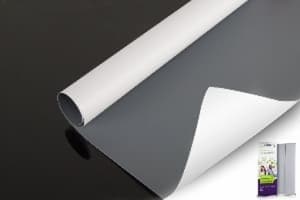
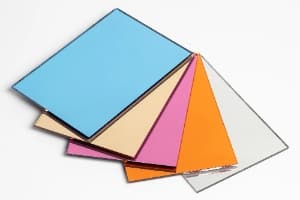
Sample selection and product data
PVC Banner Samples and Technical Datasheets
Choose PVC banner samples by model, print use and test task. Read the published product specifications below. Use the same model code when you request a sample, technical datasheet or test report.
Compare frontlit, backlit, blockout and mesh rolls in one place. Send your printer, ink and sample format with your request.

Which PVC Banner Sample Should You Start With?
- Frontlit: for graphics lit from the front, such as signs and billboards.
- Backlit: for graphics lit from behind, such as lightboxes.
- Blockout: for light blocking and two-sided graphics.
- Mesh: for an open printed face. Include liner status in the request.
Use a swatch for the surface and backing. Use a printer test sample for ink, feeding and finishing. A technical datasheet records material values; a test report records results under a named method.
3 Sample Formats for 3 Different Tasks
1. Swatch or sample book
Compare materials side by side.
- Matte or glossy face
- White, grey or black back
- Solid or open mesh structure
- Thickness and hand feel
Request field: model list and labelled swatches.
2. Hand sample
Inspect one selected material.
- Surface and layer structure
- Mesh openings and liner
- Backlighting and show-through
- Cut, fold and edge handling
Request field: model and required piece size.
3. Printer test roll
Run a production-style trial.
- Media feeding and take-up
- Ink coverage and drying
- Colour and lightbox density
- Weld, hem and eyelet tests
Request field: printer, ink, roll width and test length.
Write the format you need in the sample request. Include the piece size or test-roll width and length. Record the supplied format, quantity, sample charge, freight and dispatch date in the sample order.
Search the PVC Banner Model Library
These entries link to published HTML product specifications. The model code, listed GSM, construction and roll width remain readable without a form.
Library checked: September 29, 2026. This is the product-link review date, not a technical datasheet issue date.
6 models in this library.
| Model | Family / structure | Published GSM | Base fabric | Listed widths | Read specifications |
|---|---|---|---|---|---|
| LFG55G/280 | Frontlit / laminated; glossy, grey back | 280 | 500D × 500D; 9 × 9/sq.in | 1–3.2 m; 5 m | LFG55G/280 specs |
| CFM11/440 | Frontlit / coated; matte | 440 | 1000D × 1000D; 18 × 18/sq.in | 1–3.2 m; 5 m | CFM11/440 specs |
| LBG35/440 | Backlit / laminated | 440 | 300D × 500D; 18 × 12/sq.in | 1–3.2 m | LBG35/440 specs |
| CDM2525/510 | Blockout / coated; two-sided | 510 | 250D × 250D; 36 × 36/sq.in | 1–3.2 m; 5 m | CDM2525/510 specs |
| M1212NP | Mesh / coated; with liner | 360 listed weight | 1000D × 1000D; 12 × 12/sq.in | 1–3.2 m; 5 m | M1212NP specs |
| M99P | Mesh / coated; with liner | 340 listed weight | Request in the model TDS | 1–3.2 m; 5 m | M99P specs |

LFG55G/280
- Glossy printable face; grey back
- Compare opacity and colour on a printed sample
- Use the same model in the sample and TDS request
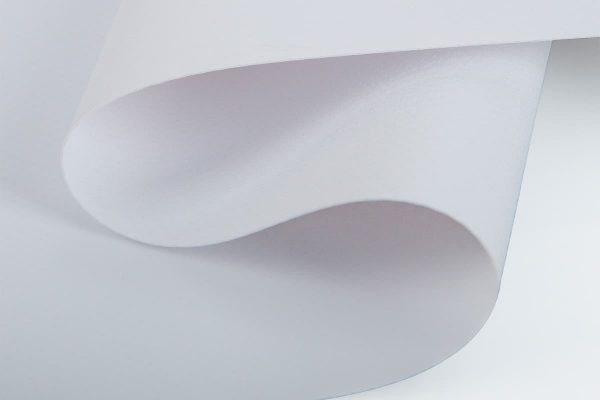
CFM11/440
- Matte printable surface
- Trial: print colour, drying and finished edges
- 1000D × 1000D; 18 × 18/sq.in

LBG35/440
- Backlit lightbox media
- Trial: view the print with the light on and off
- Record light source and print profile

CDM2525/510
Blockout product-family photo.
- Two-sided blockout construction
- Trial: print both faces and check show-through
- Record the face used for each print

M1212NP
- 12 × 12/sq.in listed mesh density
- Trial: feeding, ink catch and liner removal
- Request mesh, liner and combined weight separately

M99P
- Coated mesh with printing liner
- Trial: image readability and finished edges
- Request mesh, liner and combined weight separately
No matching model in this library. Reset the filters or send the material specification in your request.
The product pages list solvent, eco-solvent, UV and Latex ink families. Include your printer model, ink system and media profile in the sample request. Run the sample on your production equipment.
Product Specs, Technical Datasheets and Test Reports
| Resource | Use it for | Fields to record | Access |
|---|---|---|---|
| Published product specifications | Shortlist models and compare listed construction | Model, family, GSM, yarn, density, surface and width | Read the linked product pages above |
| Technical datasheet (TDS) | Review the named material specification | Model, finish, backing, liner, document revision, issue date, values, units and tolerances | Request a model-matched TDS |
| Test report | Review results for a named test | Model, sample identity, laboratory, report number, test method, conditions and result | Request the required report |
| Sample label and trial record | Connect the physical material to a trial | Model, finish, liner, sample ID, batch ID, trial date and settings | Create a record with the received sample |
Match the document to the sample
- Match the full model code.
- Match the face, backing and liner.
- Record the TDS revision and issue date.
- Record the sample or batch identity.
- Keep the trial record with the approved sample.
Keep revision records clear
- Keep the model, revision and issue date in the file name.
- Record which TDS was used for sample approval.
- Send the old revision with an update request.
- Use the approved revision in the purchase specification.
For an updated TDS, send the existing model, revision and issue date to info@unisignflex.com.
Test the Sample in 4 Steps
- Identify itRecord the model, face, backing, liner and sample ID.
- Print itRecord printer, ink, profile, passes, curing settings and drying time.
- Finish itUse the planned cut, weld, hem and eyelet method.
- Keep the resultSave the printed piece, settings, measured result and approval date.
| Material | Print and visual checks | Handling and finishing checks |
|---|---|---|
| Frontlit | Colour, ink coverage, surface and show-through | Feeding, drying, weld, hem and eyelet edge |
| Backlit | Colour with light on and off; density and uniformity | Feeding, drying and finished lightbox fit |
| Blockout | Both faces and image interference | Two-side feeding, finishing and fold handling |
| Mesh with liner | Image at viewing distance; liner ink catch | Feeding, liner removal and reinforced edges |
For sample approval, supplier records and document scope, read the PVC banner sample approval checklist. For lined mesh, use the mesh banner with liner guide.
Send These 8 Details With Your Sample Request
- Model code or material family
- Application and print size
- Printer model and ink system
- Swatch, hand sample or test roll
- Piece size or roll width × length
- Finish, backing and liner
- Required TDS fields or report method
- Delivery country and destination
For a sample book request, list the material families and models you want to compare. For a repeat sample, add the previous sample ID or document revision.
PVC Banner Sample and Datasheet FAQs
How do I choose a PVC banner sample roll?
Select the family and model first. Give the printer, ink, roll width, test length, finish and liner status. Print and finish the sample using the production settings.
What is the difference between a swatch and a sample roll?
A swatch shows the surface, backing and structure. A printer test roll supports feeding, printing, drying and finishing trials. Choose the format that fits the test task.
Can I read specifications without submitting a form?
Yes. The model library links directly to public product pages with listed GSM, construction, base fabric and roll widths.
What should a banner material datasheet include?
Record the exact model, finish, backing, liner, revision, issue date, units, values and tolerances. Keep the document with the sample and trial record.
Does a technical datasheet replace a test report?
No. A TDS describes the material specification. A test report identifies the test method, conditions, tested sample and result.
How should I request a PVC banner sample book?
List the families and models you need to compare. Ask for labelled swatches and include the printer, ink, application and delivery destination.
How do I compare the weight of mesh with liner?
Use three separate values: mesh-only GSM, liner GSM and combined GSM. Match the liner status in the sample label and document.
What should I include when requesting an updated TDS?
Send the model code, finish, backing, liner and existing TDS revision. Include the document issue date and the sample or order reference.
Choose the Model. Build the Sample Request.
Send the 8 fields above so the request identifies the material, test and document scope.
Source: the six linked UNISIGN product pages. Library checked September 29, 2026. Product-page specifications and formal document revisions are separate records. Sample and document contact: info@unisignflex.com.